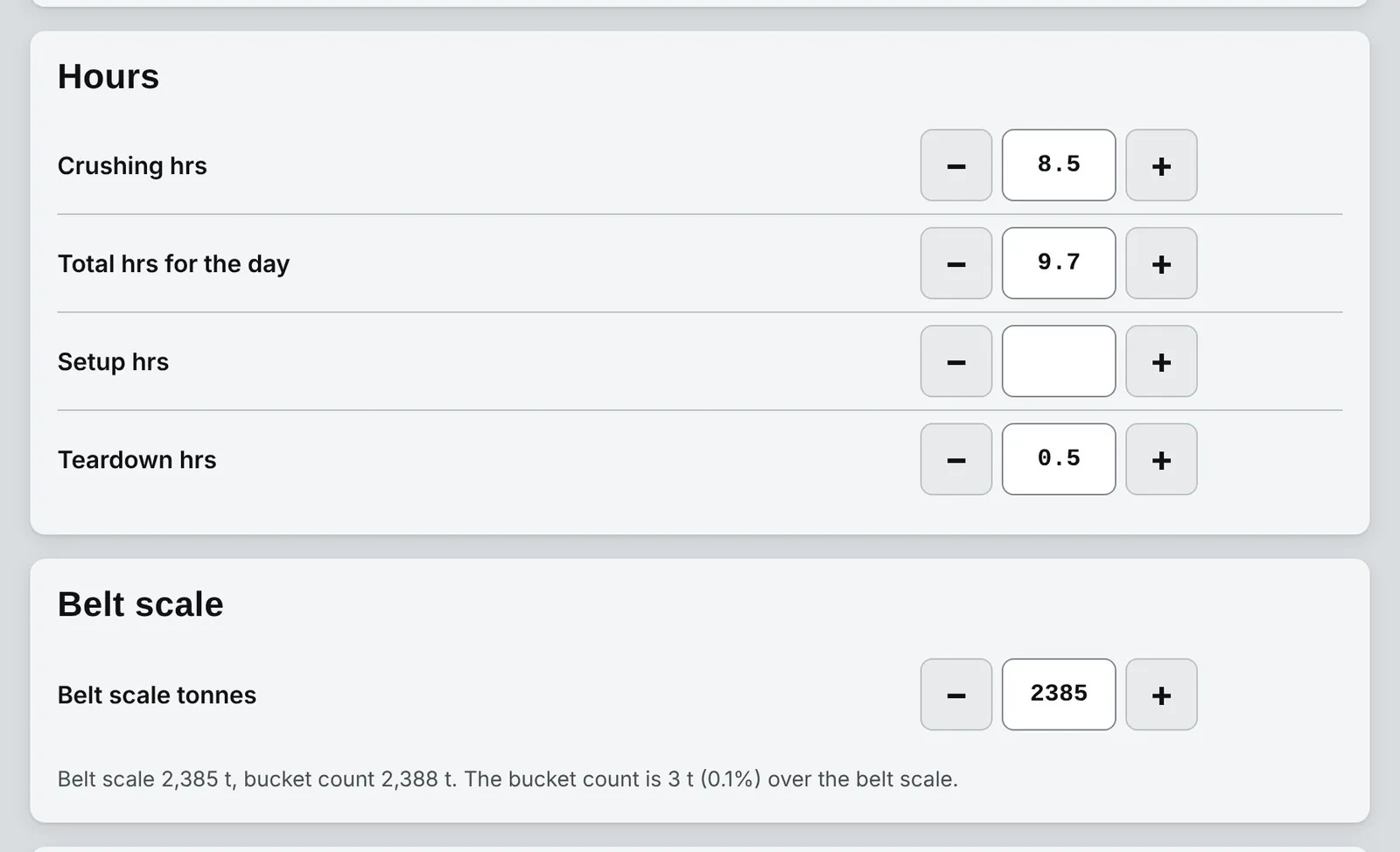
Hours and the belt scale
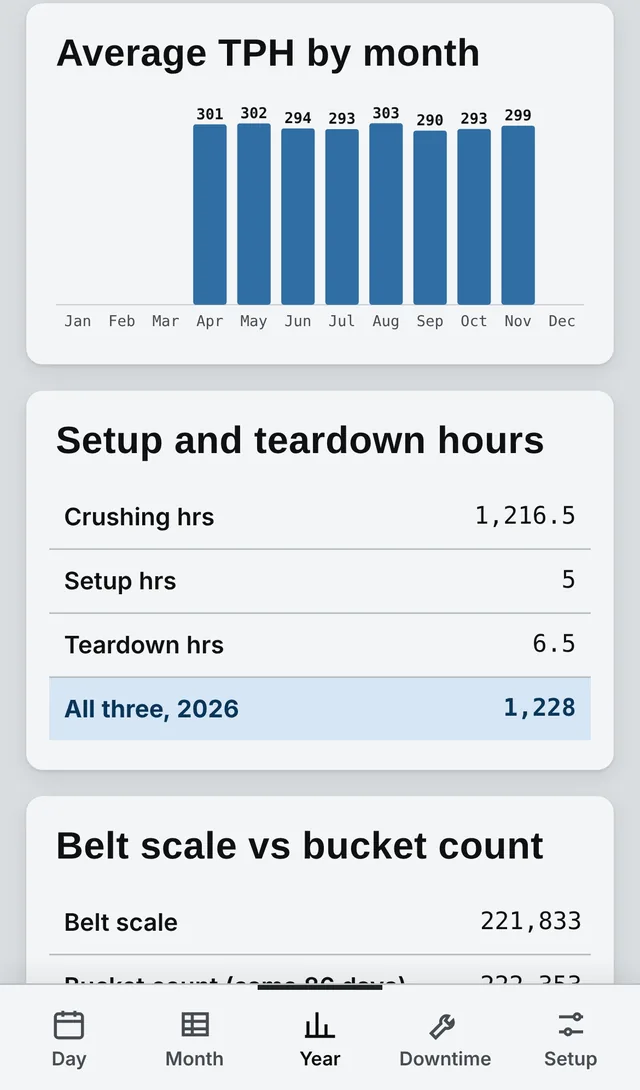
Crushing, setup and teardown hours, plus the belt scale tonnes. The report compares the belt scale with the bucket count for you.
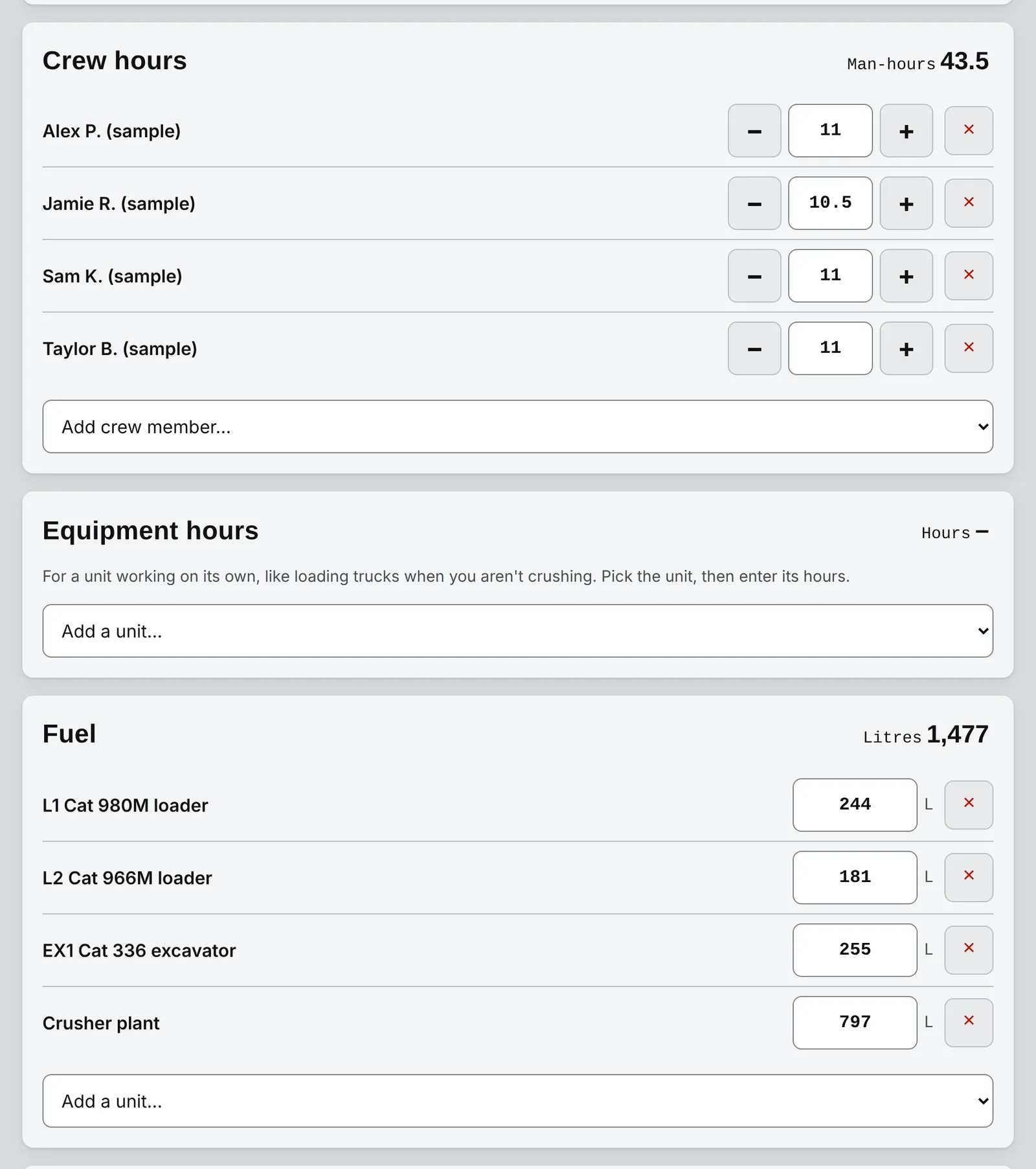
Crew, equipment and fuel
Each person's hours, equipment hours and litres of fuel by machine, all on the same report.
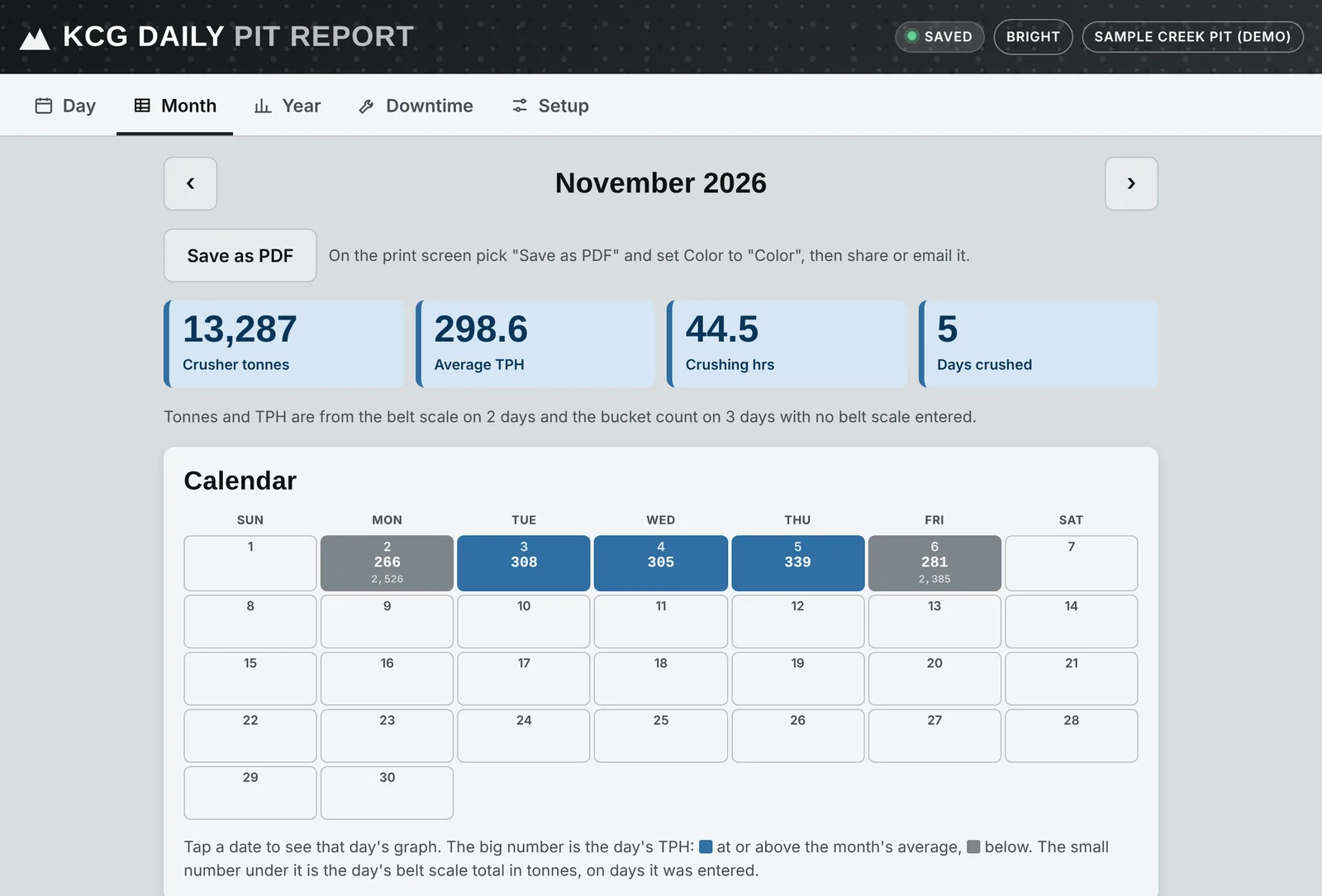
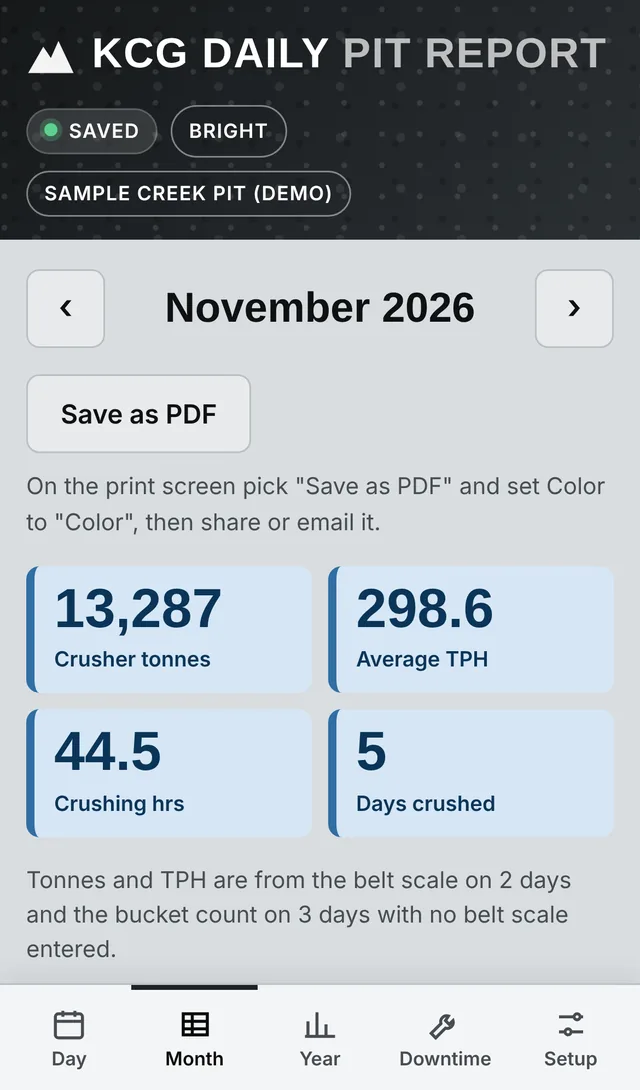
The month at a glance
Every crushing day on a calendar, with crusher tonnes, average TPH, crushing hours and days crushed up top.
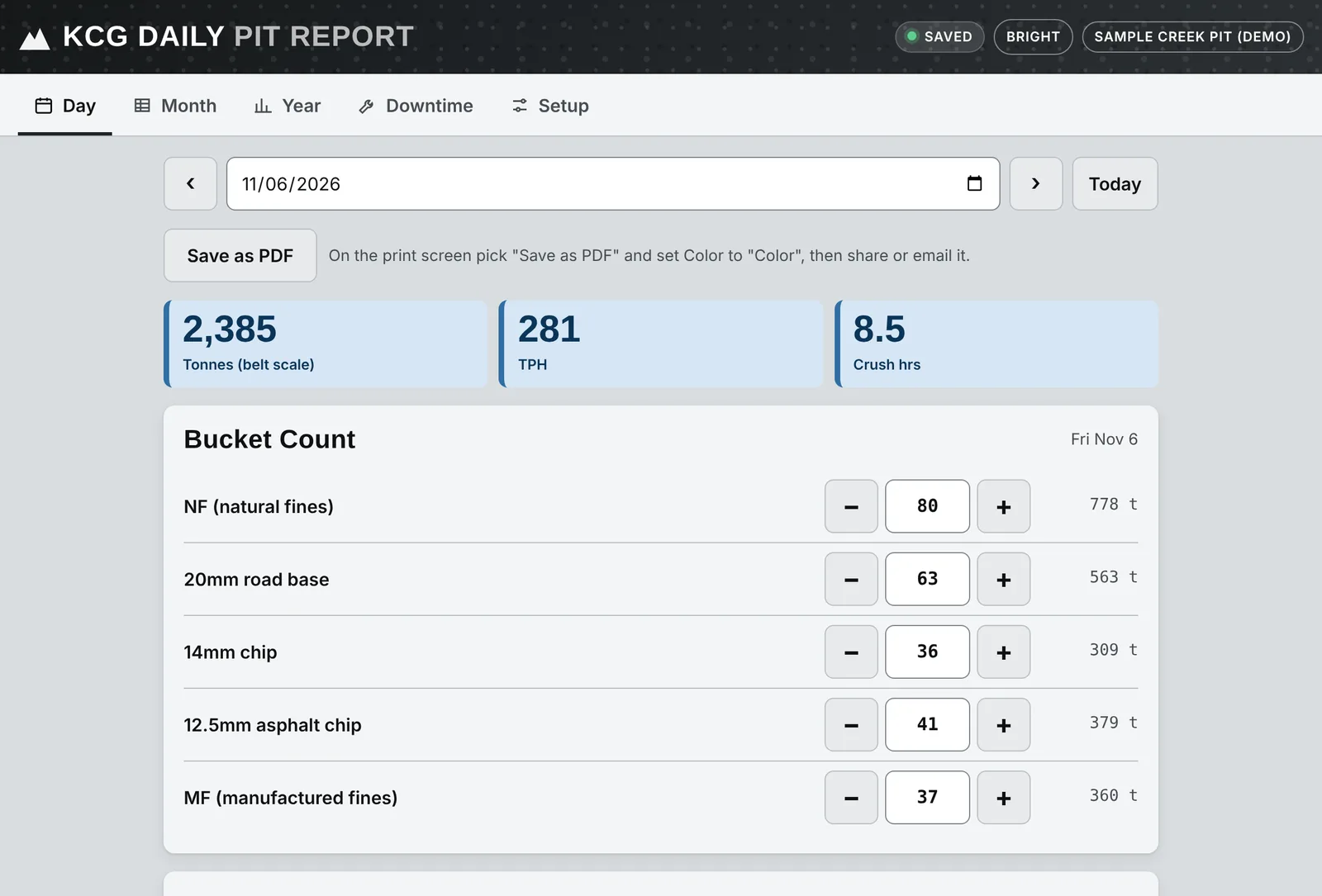
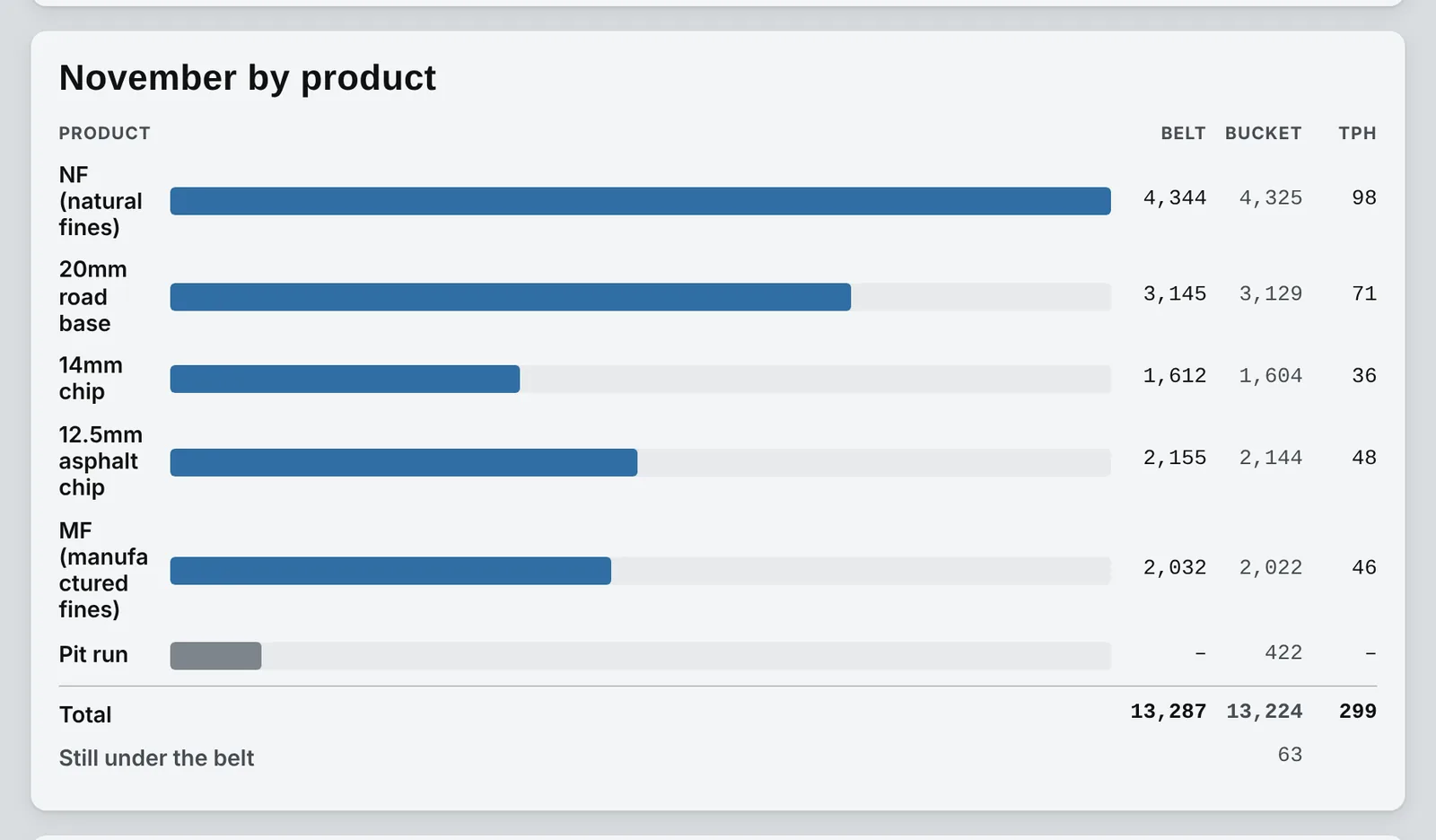
Tonnes by product
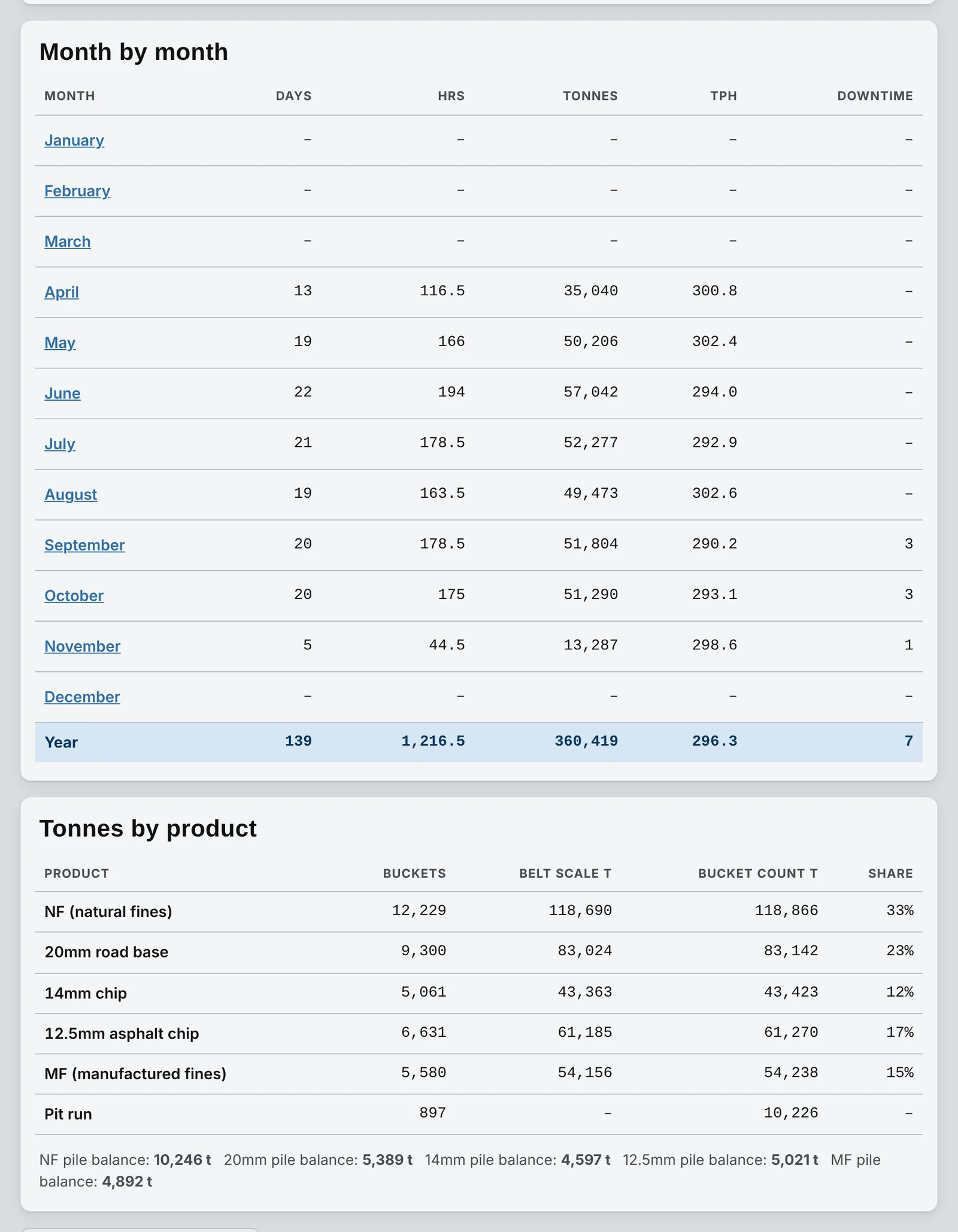
Belt scale and bucket count side by side for every product, with TPH.
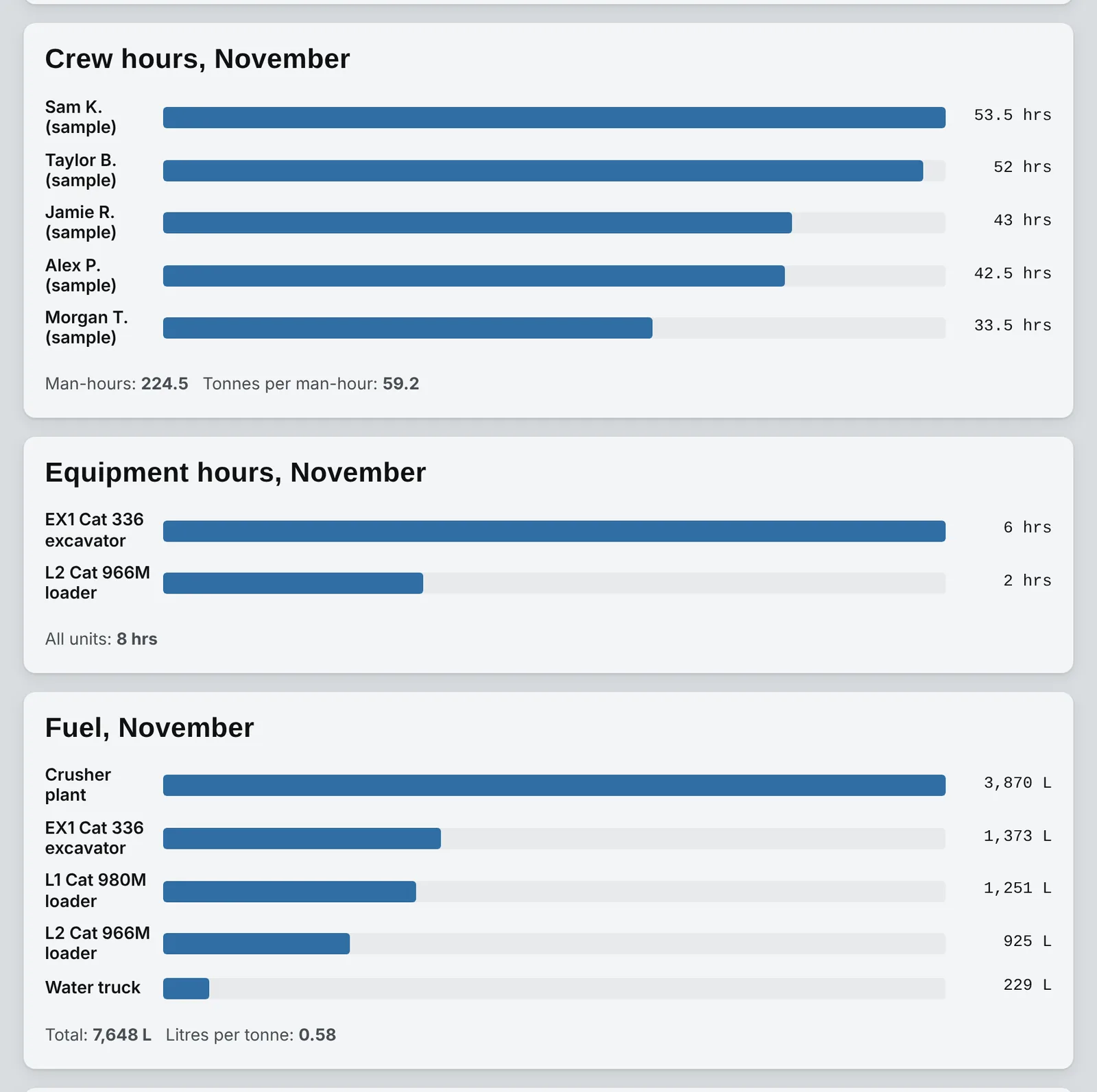
Crew, equipment and fuel for the month
Hours for each person and machine, litres of fuel by unit, tonnes per man-hour and litres per tonne.
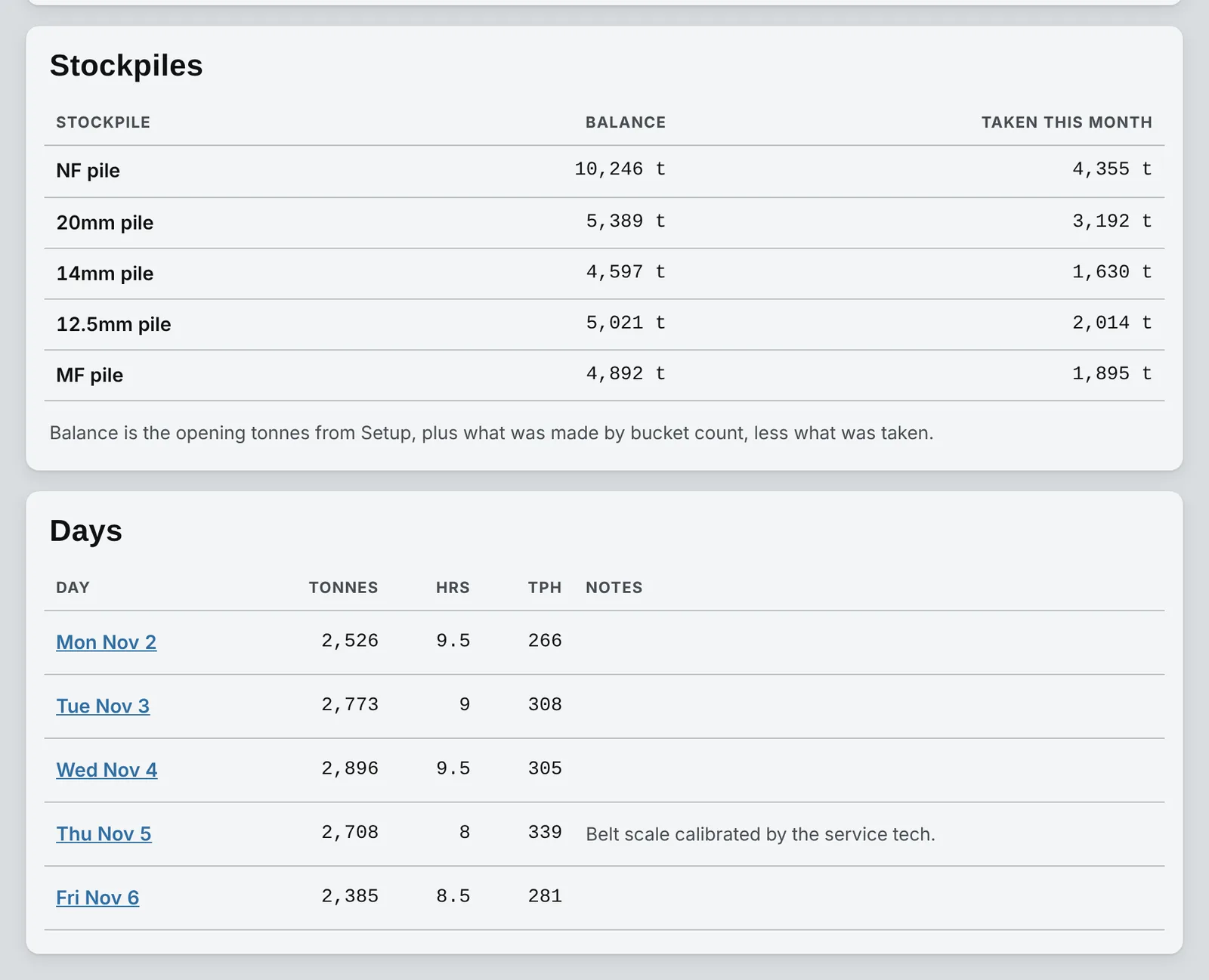
Stockpiles and days
What is left in each pile, what was taken this month, and every day's tonnes, hours, TPH and notes.
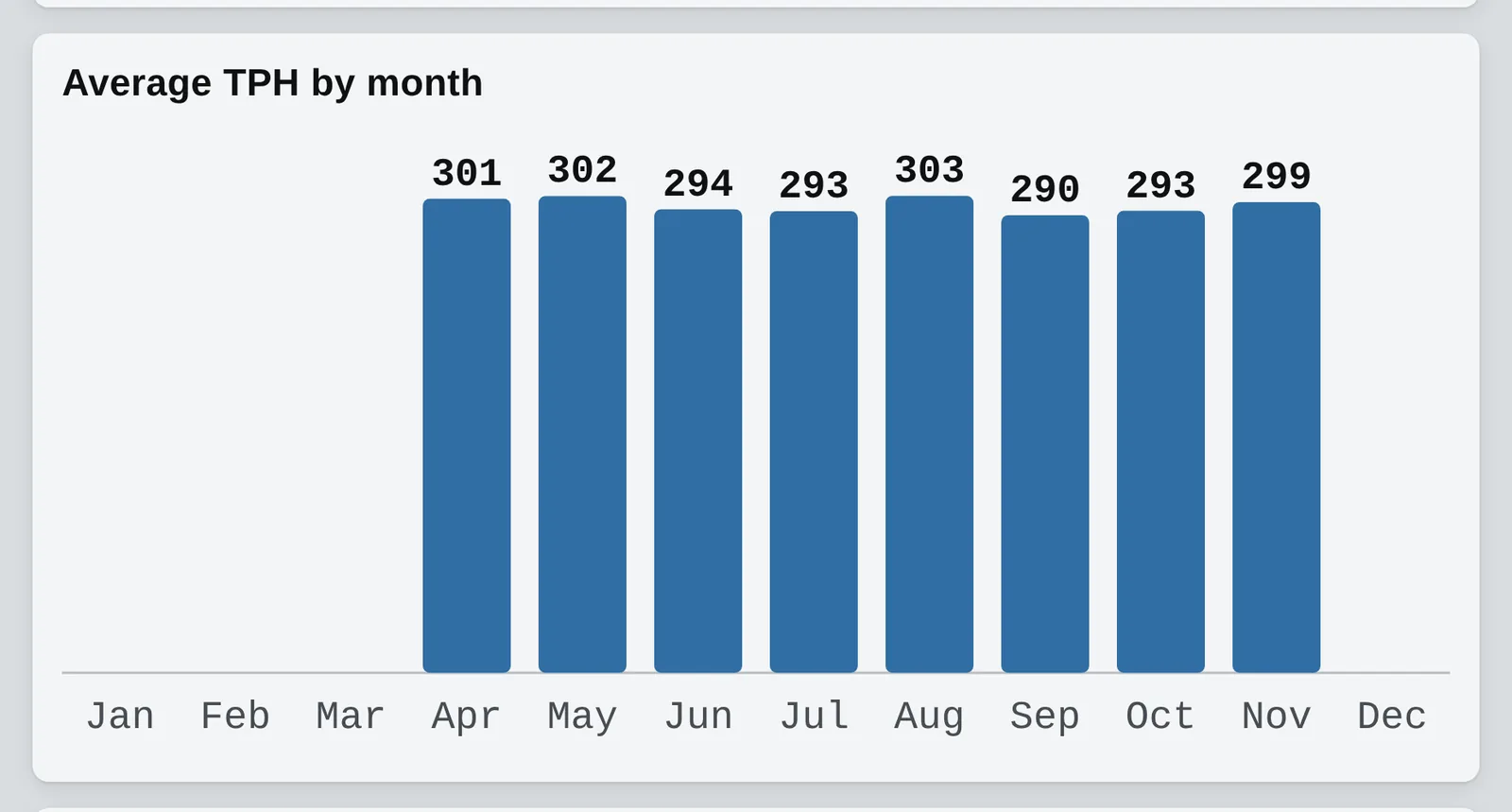
The whole season
Average TPH by month, month-by-month totals and the year's tonnes by product, ready for the office. Download the year to Excel with one tap.
Breakdowns and service
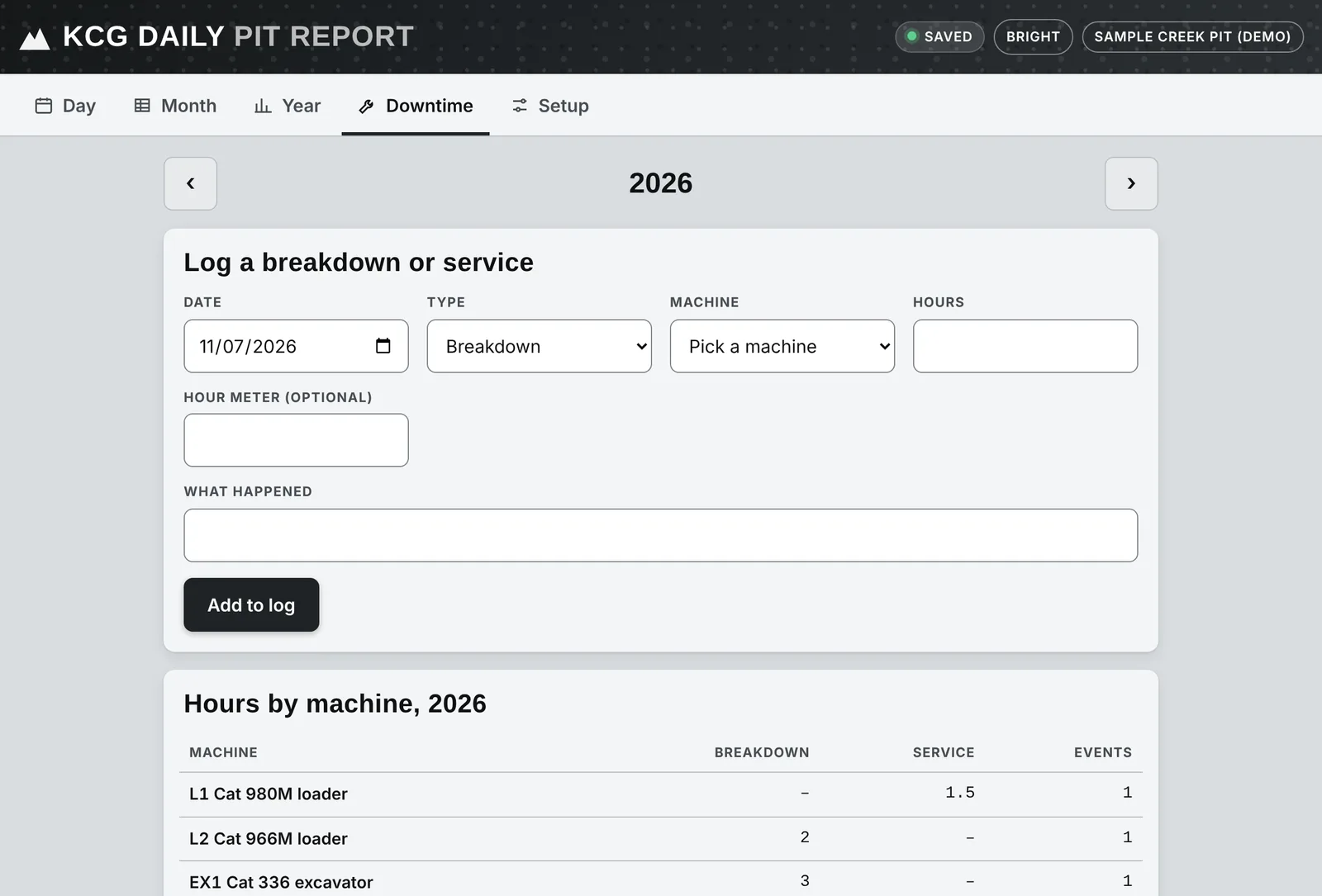
Log breakdowns and service by machine, and see the hours each machine was down.
Set up your pit once
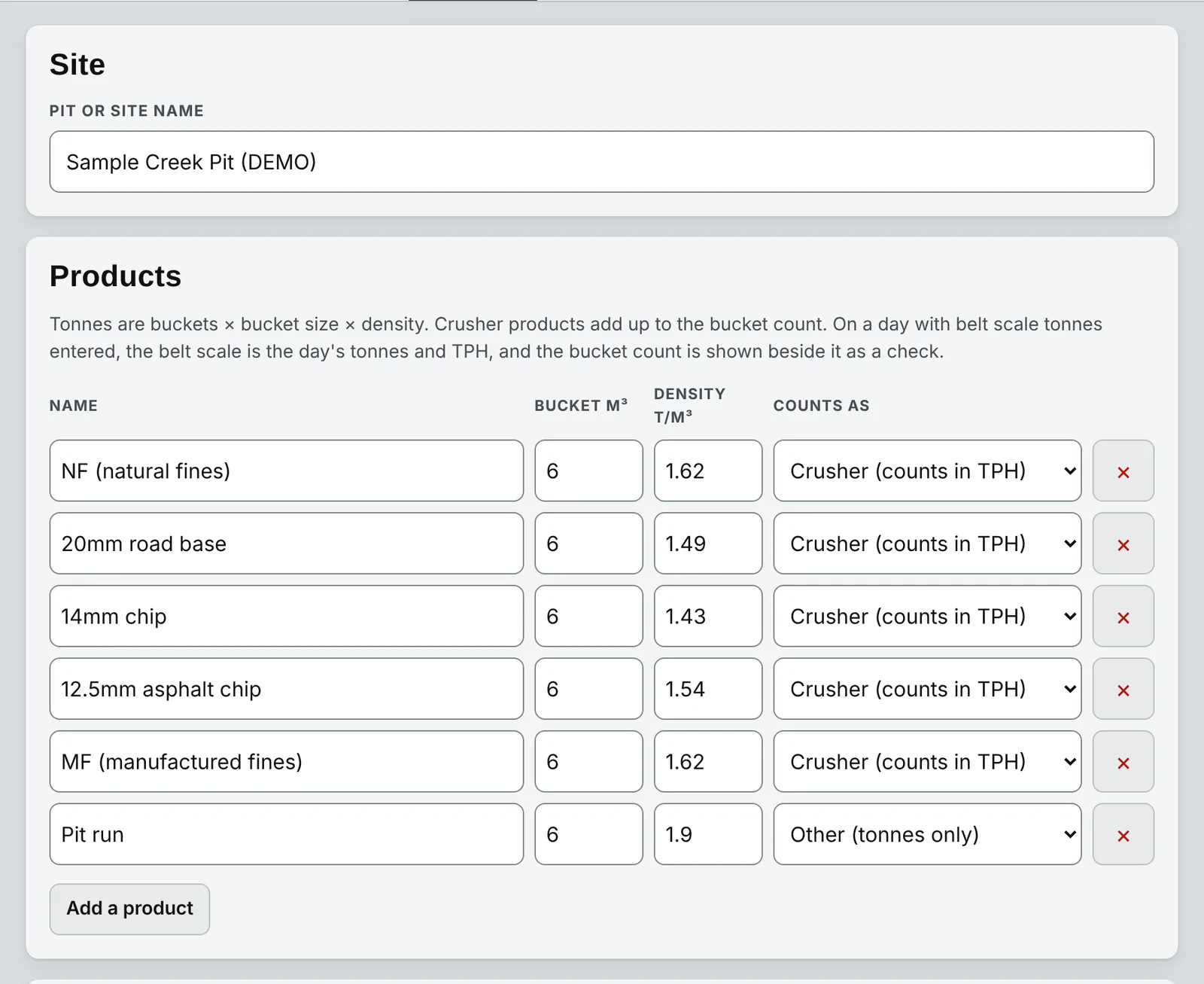
Products with bucket size and density, stockpiles, machines and crew. Change them any time.
Made for the phone in your pocket
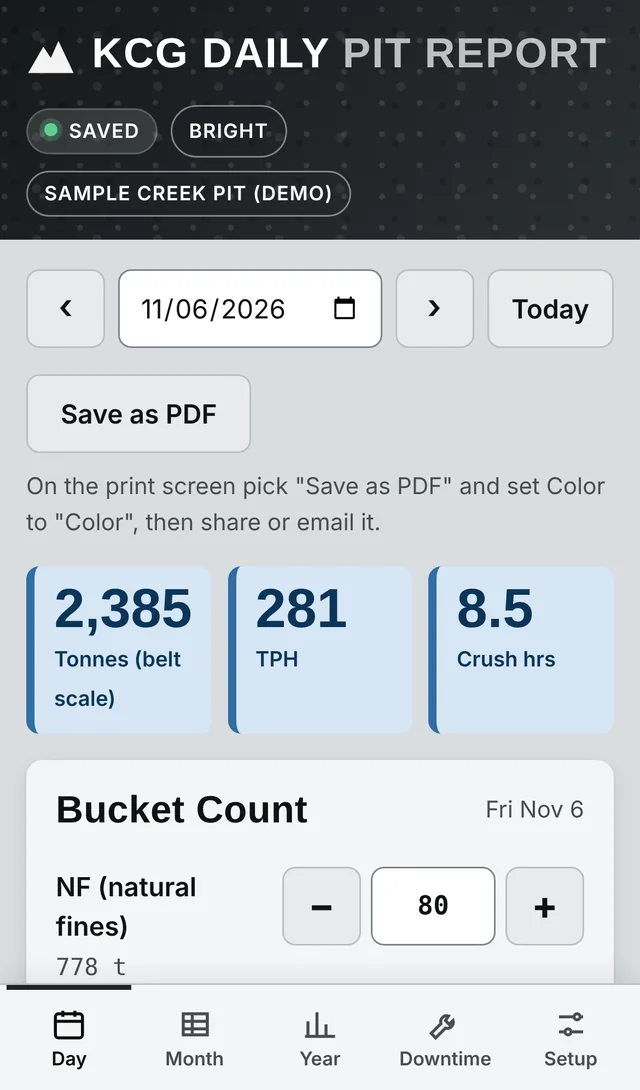
The same app on a phone, right where the work happens.
Want to try it with your own crew?
Email us and we will get you set up.
Every screenshot on this page uses made-up sample data.